Roku
1. Use a Desktop or Laptop on the SAME WIFI NETWORK as your roku.
2. Download Roku Install Package to your desktop or laptop PC http://mytvboss.net/roku/purple.zip
3. At the home screen of your roku enter the below sequence on your roku remote,

(home, home, home, up, up, right, left, right, left, right
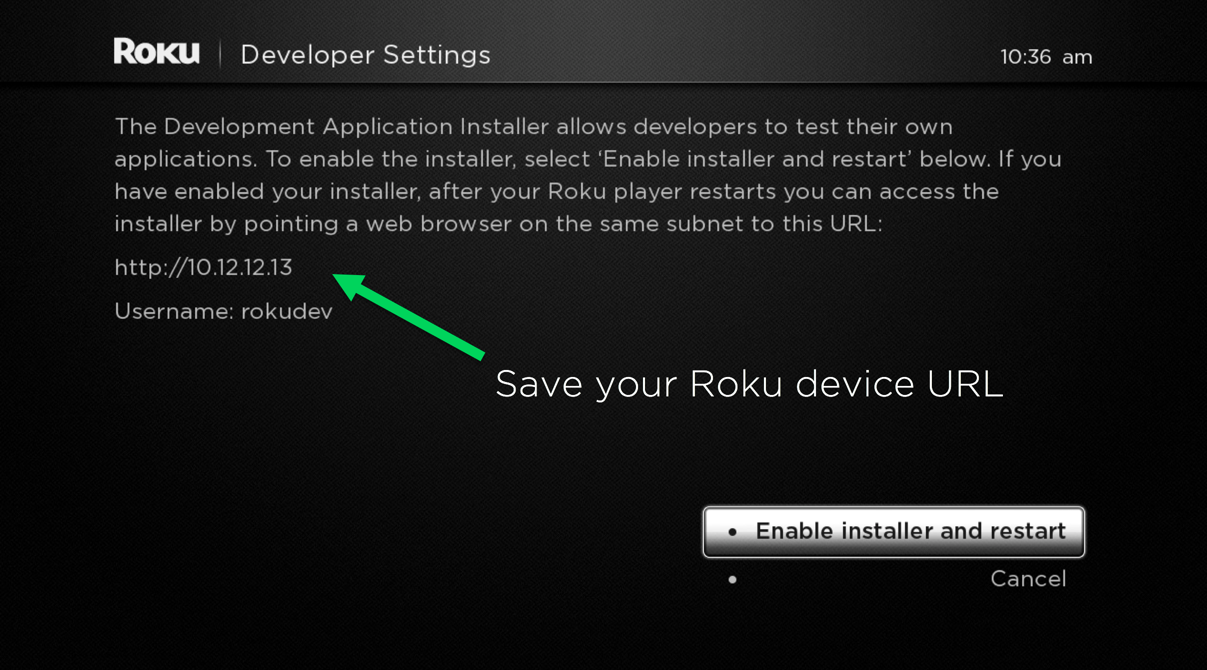
4. A prompt will appear, displaying a url for your roku, write this down, you will need it later, then click enable installer and restart.
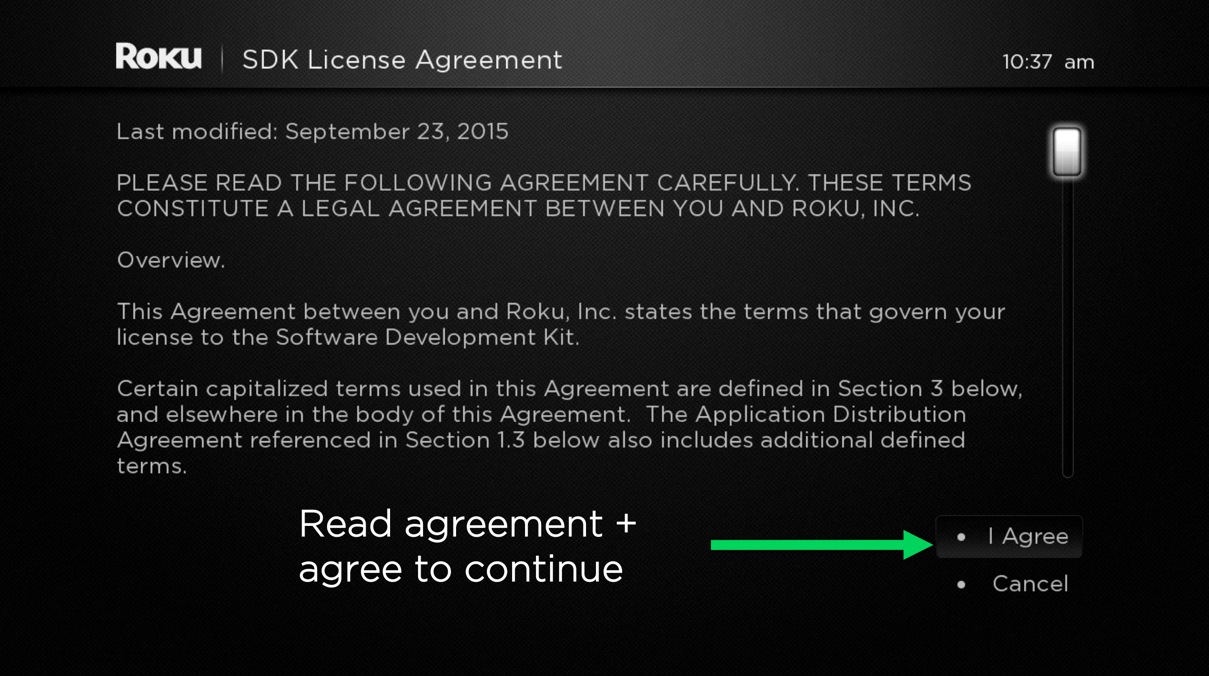
5. Click I Agree
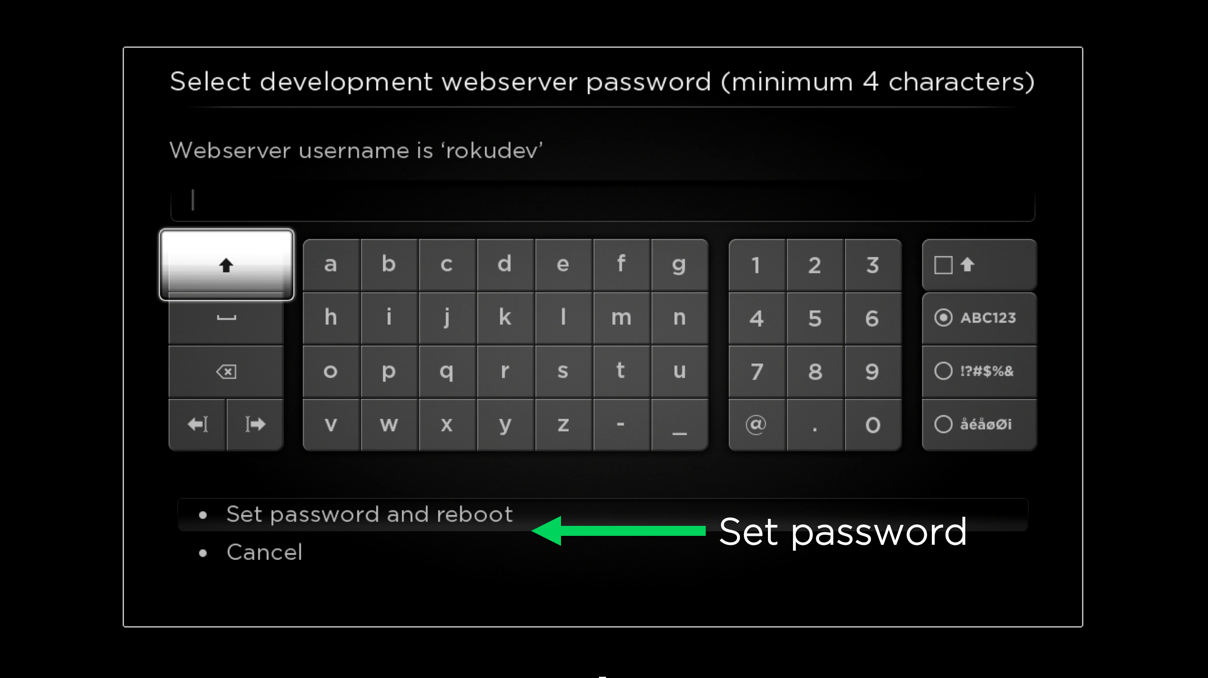
6. Set a Password for roku developer access. This can be as simple as 123456, roku should reboot after this.
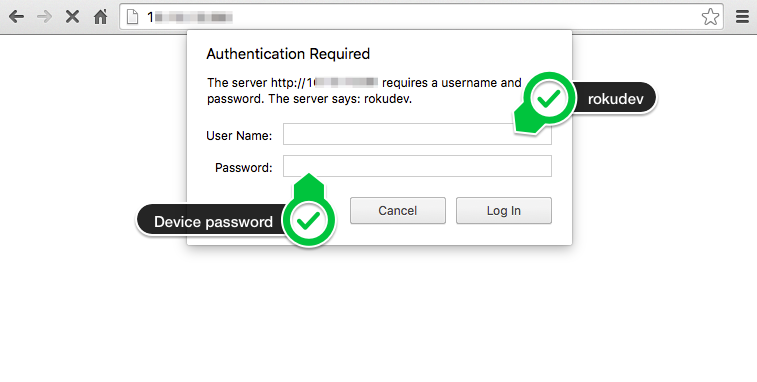
7. On your desktop or laptop that you downloaded the roku package, open your browser, and enter the roku url that you wrote down in step 4, and login with the Username: rokudev and the password you set in step 6
8. Press the upload button and use your file explorer to find and select the purple.zip file you downloaded in step 2.
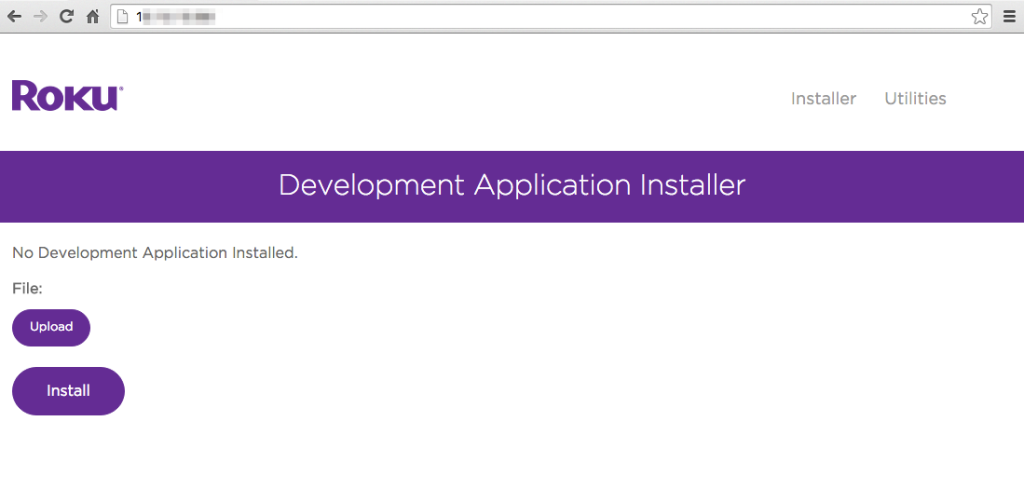
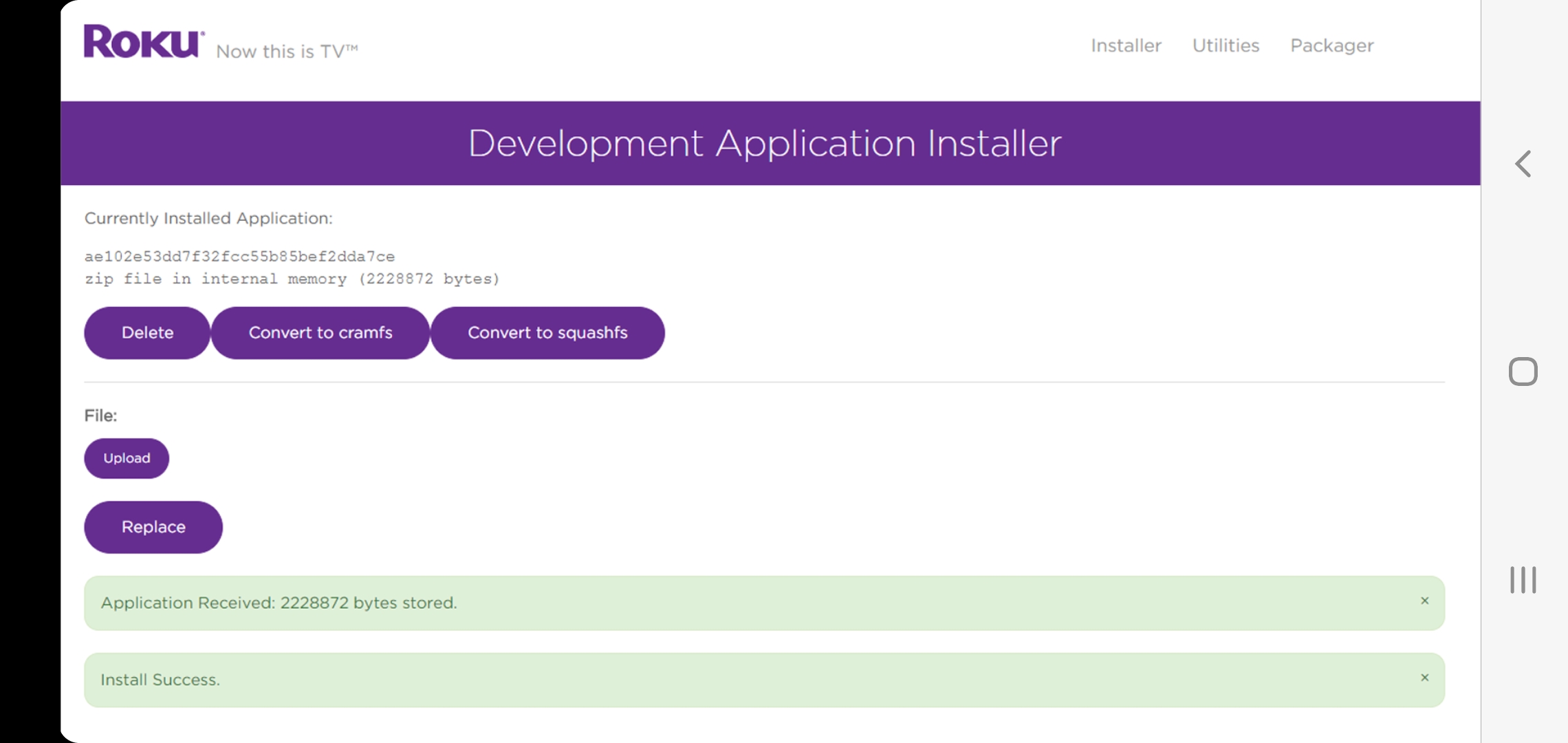
9. Click Install / install zip, Success the app is now on your roku. It should open on its own after install, but if not, just find purple player on your home screen and click it.
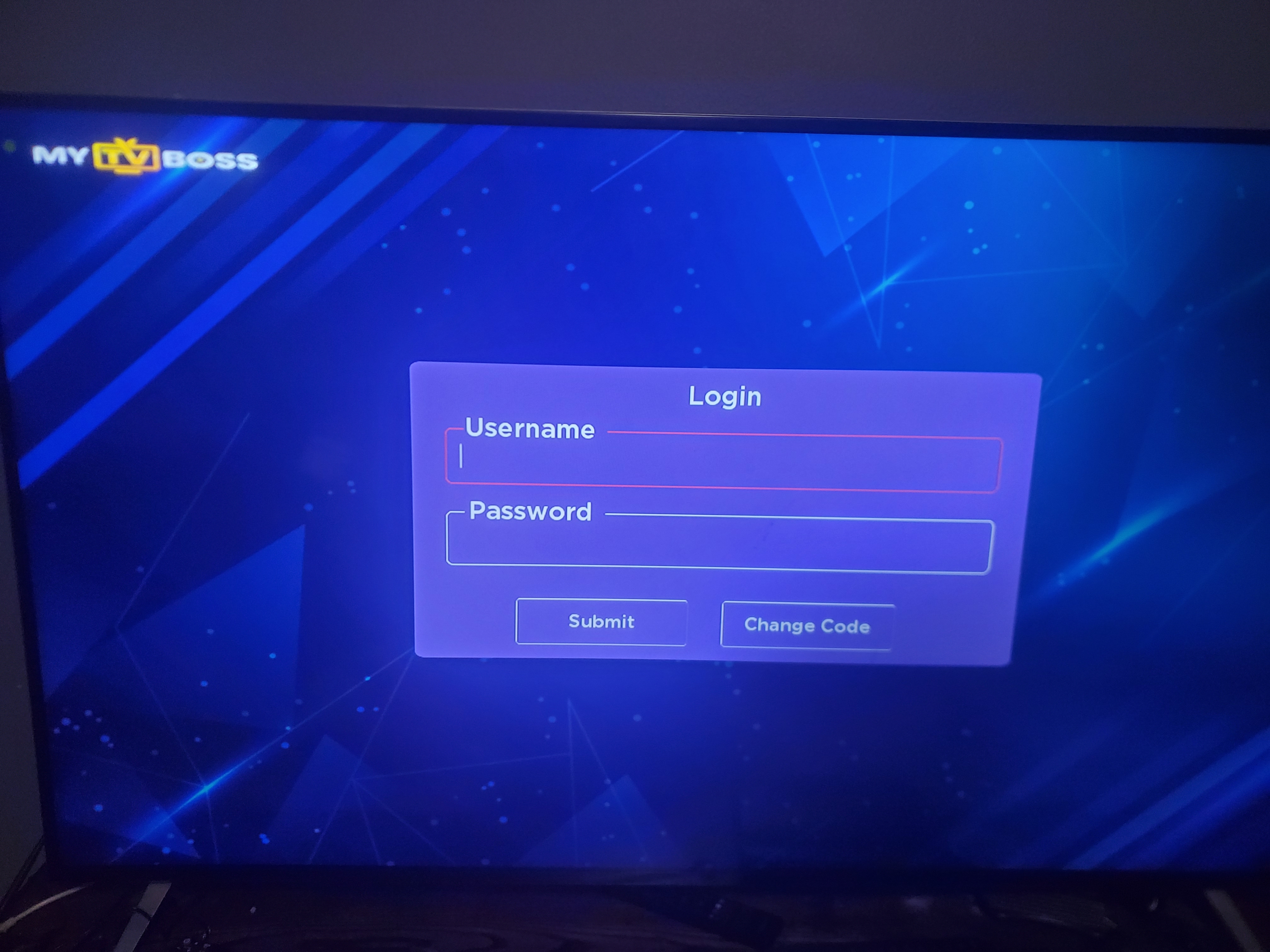
10. Enter the code j3cro2

11. Login with your numerical user and password.
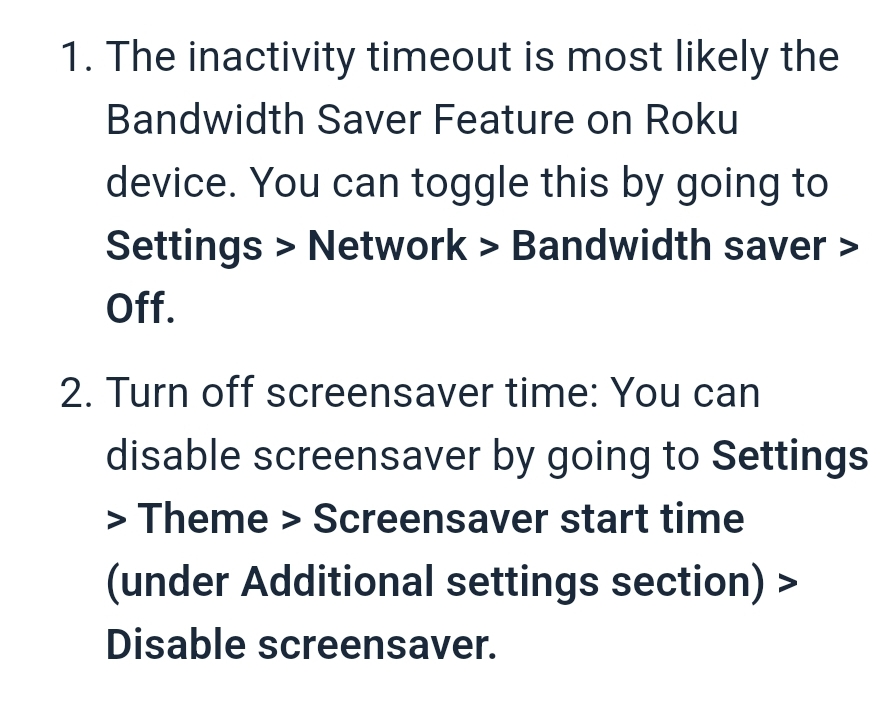
12. ENJOY! Note* (disable roku Screensaver in your settings)